
Working in a SOC means you are constantly hit with alerts. Most of them are just noise or false alarms, but some are the real deal. The hardest part is not just responding to everything, it’s actually figuring out which ones are worth your time.
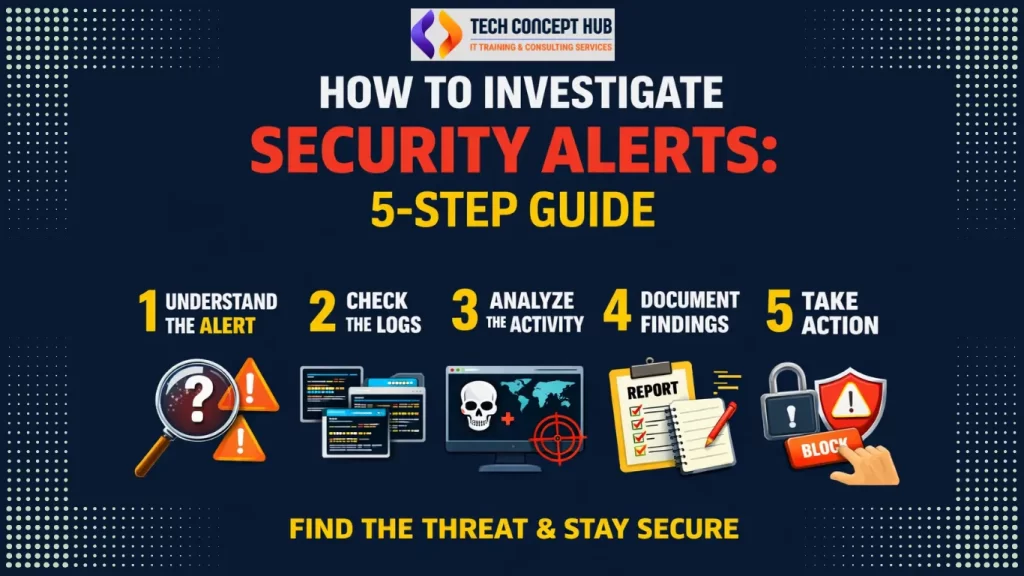
I have learned that analyzing these alerts doesn’t have to be overcomplicated. As long as you have a consistent process, it is much easier to spot a real threat versus normal daily activity. Here is the 5-step method I use to stay on track.
Step 1: Figure out why the alert popped up.
Every alert has a “why” behind it. Before panicking or jumping to conclusions, it is important to understand what the security tool actually detected.
I usually pause and ask myself:
- What exactly set this off? (Was it a specific file, a weird IP address, or a command?)
- What kind of activity is this? (Is it a login issue, a malware hit, a shady email, or just strange network traffic?)
- Is this normal behavior? (Does this user or system usually act this way?)
If the alert looks confusing, I will check the tool’s description, look at the vendor notes, or just do a quick Google search to understand what I am looking at.
Example:
If a user receives an email that looks like it came from HR, clicks the link, and then immediately triggers a suspicious login alert, that combination usually points to a phishing attempt.
Step 2: Dig into the logs for more context.
An alert by itself usually doesn’t tell the whole story. To really understand what’s going on, you need to go looking for more details.
I start by checking things like:
- The logs: I will pull data from the firewall, EDR, email filters, or proxy.
- The specifics: I look for things like source and destination IPs, usernames, hostnames, and exact timestamps.
- The timeline: I try to piece together exactly what happened and when.
A habit that is served me well is looking at the logs from 24 hours before and after the alert. This helps me figure out if I am looking at a one-off glitch or a recurring pattern that might be part of a bigger attack.
Step 3: Break down what is actually happening.
This is the part where you put the pieces together. Your main job here is to decide: is this a legit threat, or is it just business as usual?
To figure that out, I usually ask:
- Is this normal for us? (Does our network or team usually do this kind of thing?)
- Is anything important at risk? (Are we talking about sensitive data or a critical server?)
- Is the system reaching out to somewhere shady? (Is it connecting to a weird domain or an IP that’s known for being malicious?)
I often use threat intel tools or reputation checkers to see if the activity matches any known attacks. At the end of the day, I keep my goal simple: Is this a real incident, or can I clear it?
Step 4: Document What You Found.
Even the best analysis is useless if it is not documented clearly. I always write my findings in plain language so anyone on the team can quickly understand what happened.
When I am documenting, I make sure to cover:
- The “What”: What actually took place?
- The Proof: What evidence did I find to back this up?
- The Verdict: Is this a malicious attack or just a safe, normal event?
- The Next Steps: What do we need to do right now to fix it?
Example:
If a user clicked on a phishing link and entered their password, I would document the event and recommend blocking the domain, resetting the user’s password, and providing basic phishing awareness.
Clear documentation helps the team move faster and avoids confusion later.
Step 5: Take action and prevent it from happening again.
Once the analysis and notes are finished, it is time to actually do something about it. Depending on what I found, I will take the necessary steps to wrap things up.
This usually involves things like:
- Escalating the incident if it is serious.
- Blocking suspicious IPs or domains.
- Updating detection rules to reduce noise or catch similar activity sooner.
- Recommending policy changes or additional user training
The job is not quite over once the alert is closed, though. I always keep a close watch on the environment for a while to make sure the attacker is not trying to sneak back in using a different trick.
Summary
Analyzing security alerts is not just about hunting for problems. It is really about understanding how things behave, making smart calls, and keeping the organization safe.
If you keep these five steps in mind, the whole process becomes a lot less stressful:
- Understand why the alert fired.
- Gather more info from the logs.
- Analyze if it’s a real threat or not.
- Document everything clearly.
- Take action to fix it and stay safe.
The best advice I can give is to stay curious and never stop learning. Security is not a one-time task you can just check off a list; it is a continuous journey.